Creating basic rosters

Basics

How to think about rosters
  • Defined by two parameters
    • Number of rows (i.e., size)
    • Names of rows (i.e., content)
  • Size comes from one of two sources
    • Question or
    • Fixed items in the roster itself
  • Content is defined likewise
    • Question or
    • Fixed contents of the roster itelf

How to think about rosters
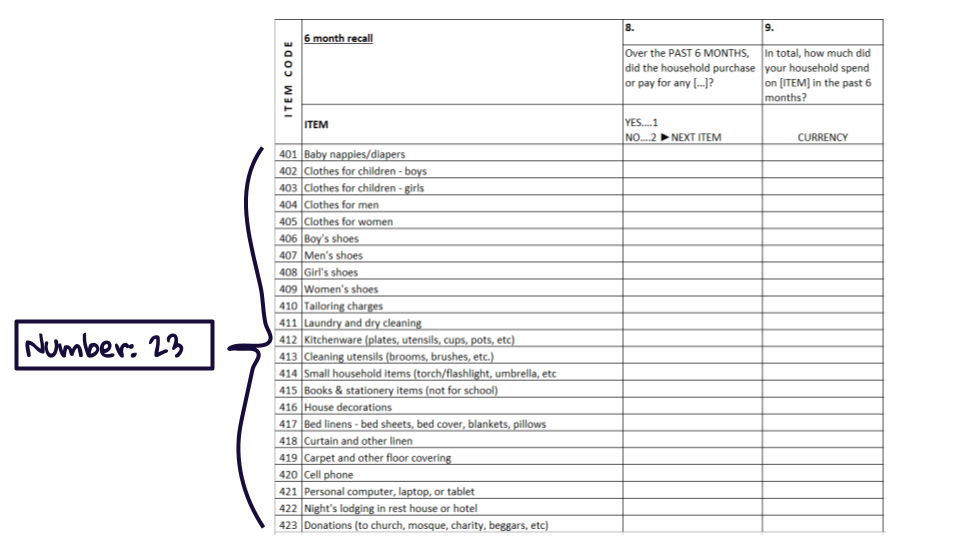
  • Defined by two parameters
    • Number of rows (i.e., size)
    • Names of rows (i.e., content)
  • Size comes from one of two sources
    • Question or
    • Fixed items in the roster itself
  • Content is defined likewise
    • Question or
    • Fixed contents of the roster itelf

How to think about rosters
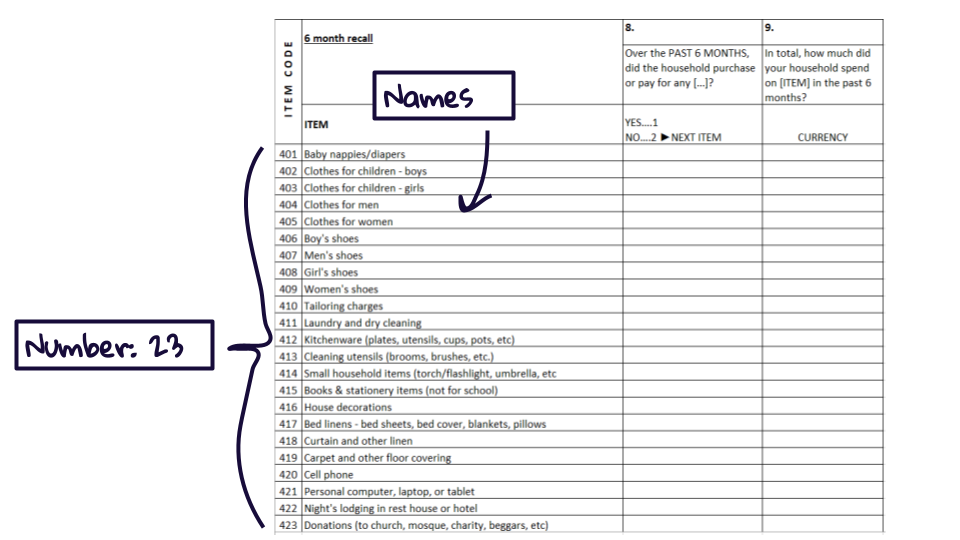
  • Defined by two parameters
    • Number of rows (i.e., size)
    • Names of rows (i.e., content)
  • Size comes from one of two sources
    • Question or
    • Fixed items in the roster itself
  • Content is defined likewise
    • Question or
    • Fixed contents of the roster itelf

How to think about rosters
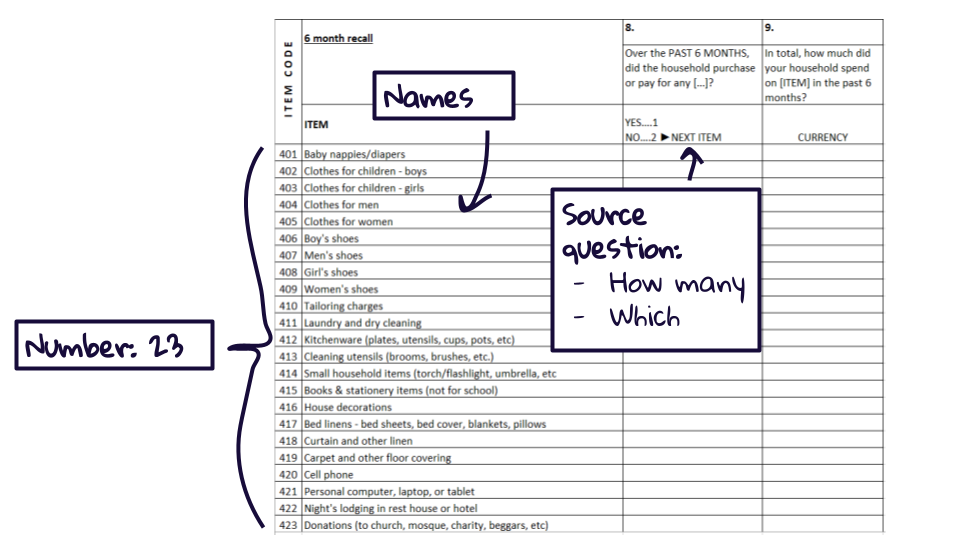
  • Defined by two parameters
    • Number of rows (i.e., size)
    • Names of rows (i.e., content)
  • Size comes from one of two sources
    • Question or
    • Fixed items in the roster itself
  • Content is defined likewise
    • Question or
    • Fixed contents of the roster itelf

How to think about rosters

  • Defined by two parameters
    • Number of rows (i.e., size)
    • Names of rows (i.e., content)
  • Size comes from one of two sources
    • Question or
    • Fixed items in the roster itself
  • Content is defined likewise
    • Question or
    • Fixed contents of the roster itelf

List question
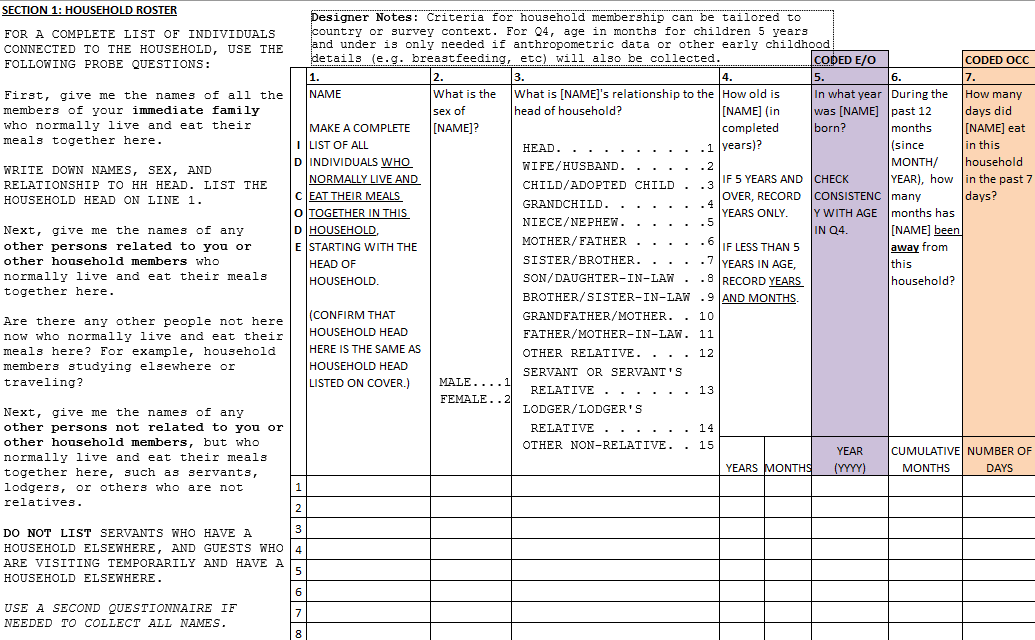
Multi-select yes/no question
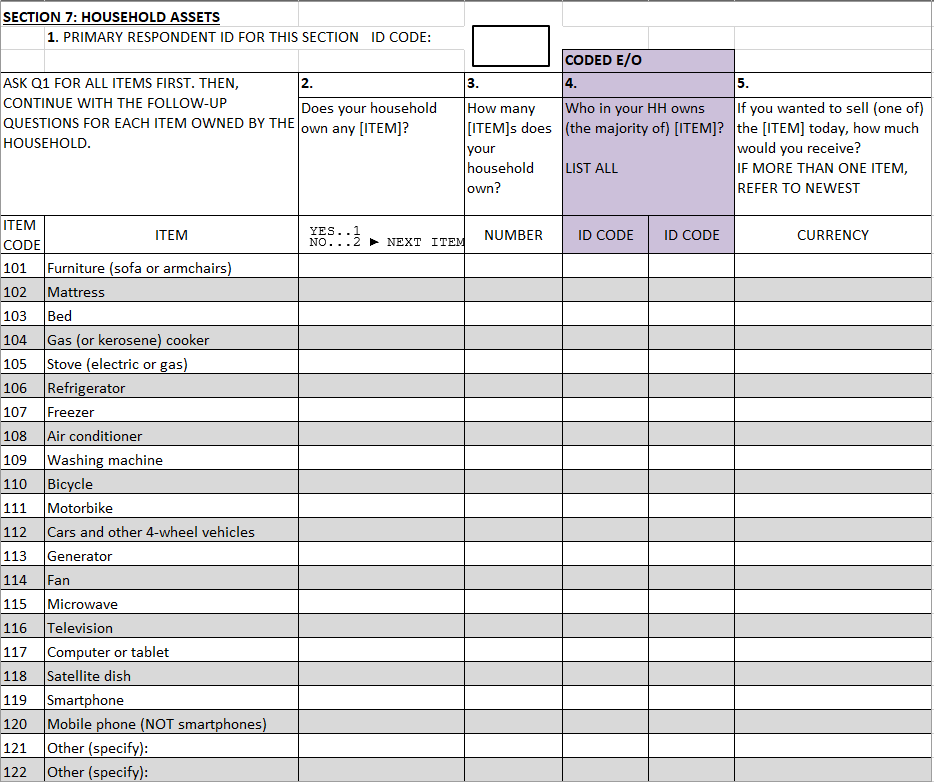
Numeric question
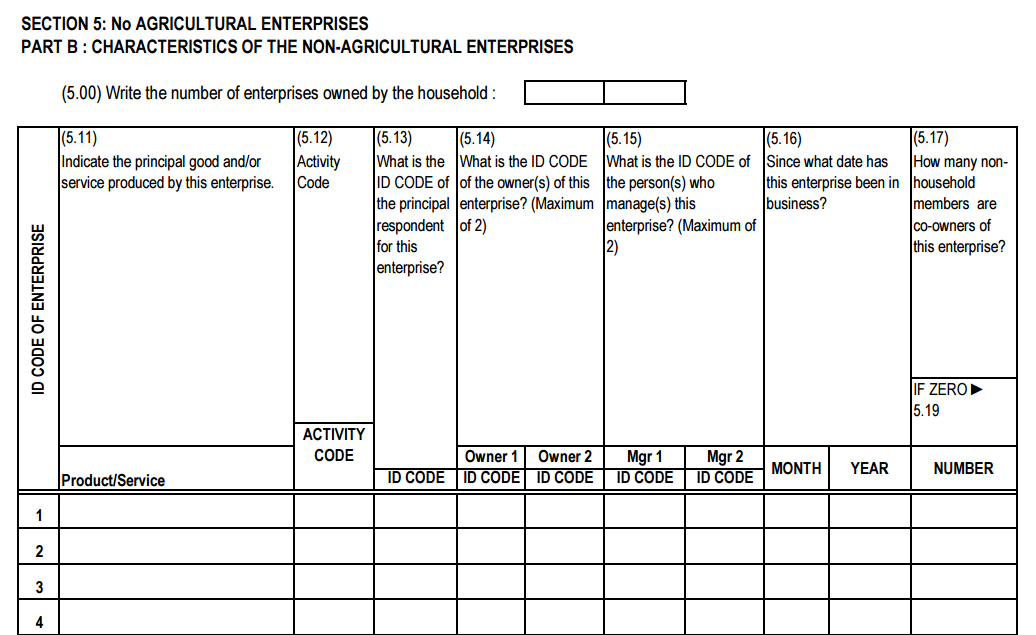
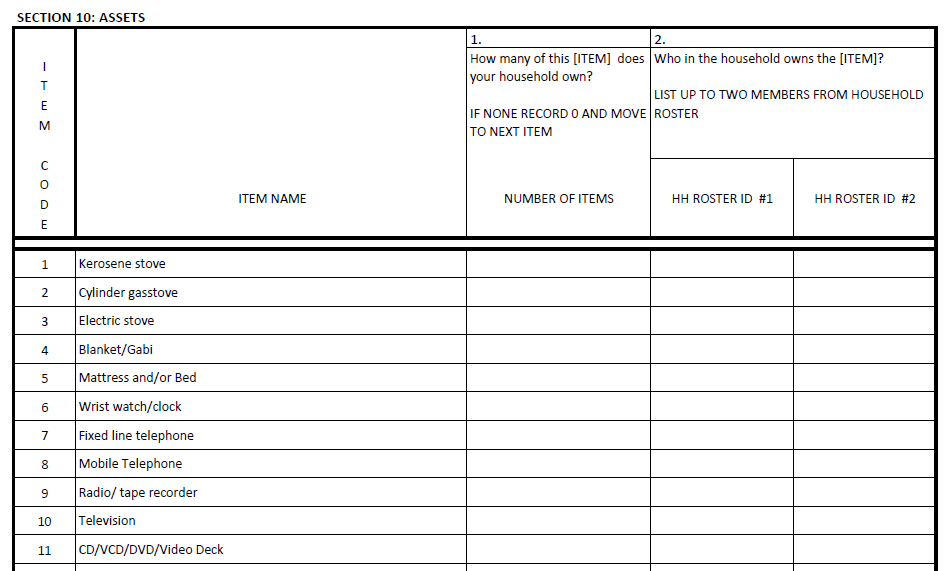
Fixed set of items
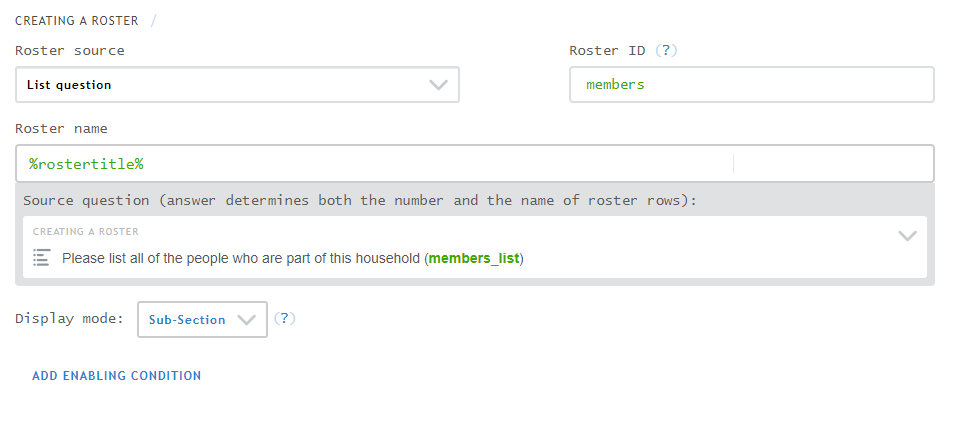
Create a roster in Designer

  • Create source question
  • Create roster
    • Select type (of source question)
    • Provide variable name (ID)
    • Provide name (name)
    • Select source question
    • Select how to display roster rows

Unpacking roster attributes

Roster source

Roster ID

Roster name

Source question

Display mode

Roster source

What it is

Type of question for roster source

What it does

  • Filters to questions of designated type (e.g., list, multi-select yes/no)
  • Permits easier selection of soure question

Roster ID

What it is

Variable name for the roster

What it does

  • Allows references to roster in conditions
  • Provides name for roster in data export

Roster name

What it is

Template for text on roster row buttons

What it does

Determines what text appears on roster row buttons

Source question

What it is

Question that defines a roster.

What it does

Defines:

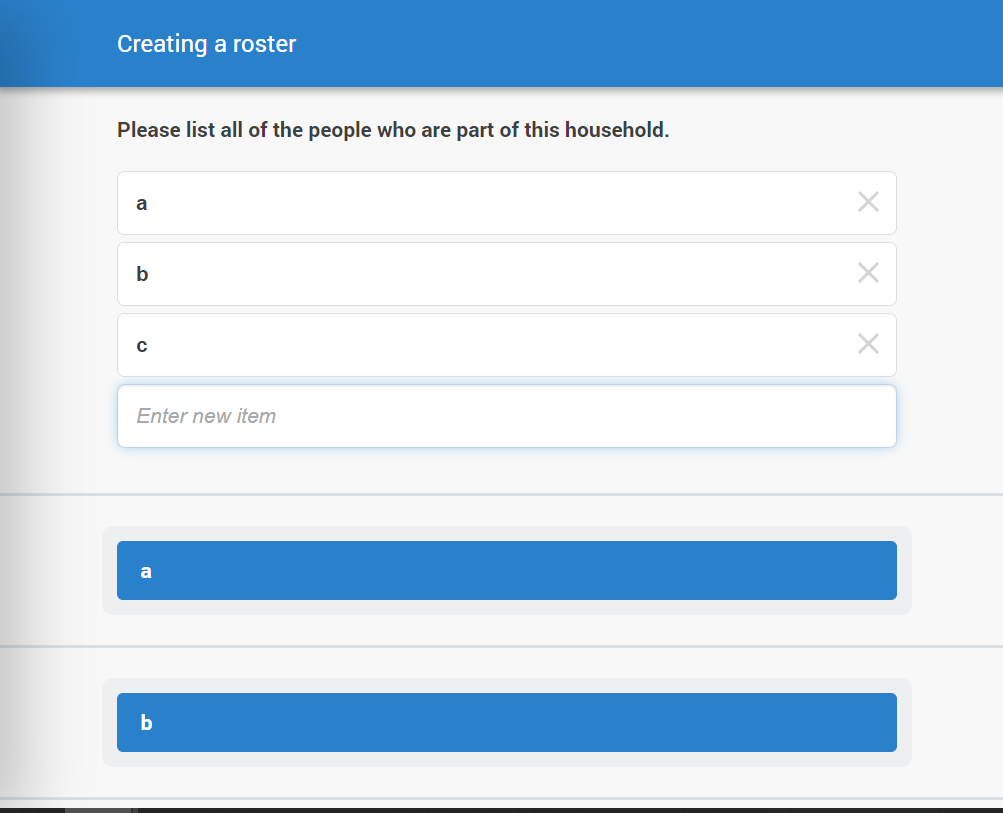
  • Number of rows (e.g., household members)
  • Content of row titles (e.g., names of members)

Display mode

By mode

CAPI

  • Sub-section
  • Flat (aka plain mode)

CAWI

Display mode > Sub-section

  • Default display mode
  • Good for any kind of roster
  • Best for rosters with lots of questions

Display mode > Flat

  • Works best for simple rosters
  • Limited to roster with:
    • Few items
    • No nested roster

Text substitution

Concept

Outside of rosters

  • Show the value of one question in the text of another variable
  • Construct reference: variable name surrounded by % (e.g., myvar -> %myvar%)
  • See more here.

Inside of rosters

Variable values

Row names

Variable values

  • Same approach as outside roster
  • Construct reference

Row names

  • References to row names must use keyboards
  • %rostertitle% = row names of current roster
  • %your_roster_variable% = rows of a specific roster (which could be the current one)

Bringing it all together

Example 1: household members

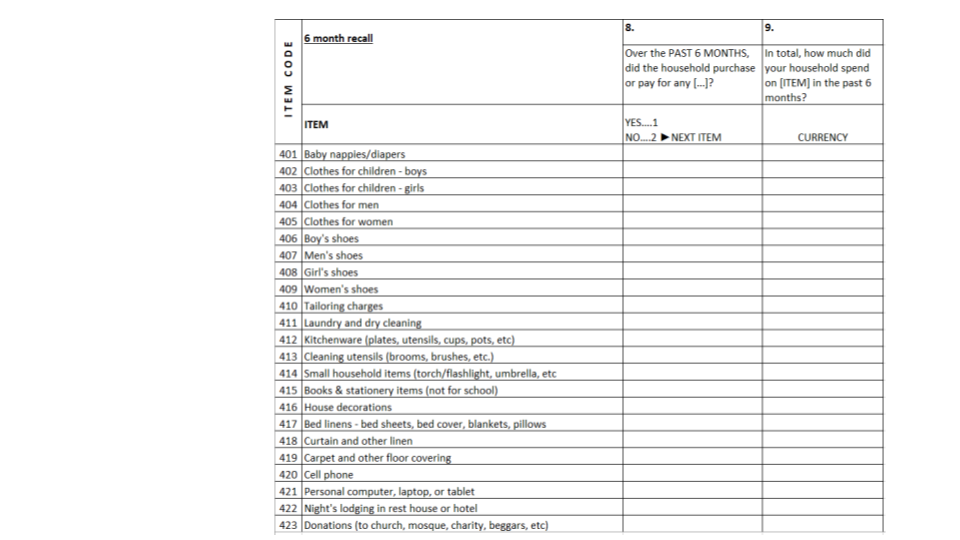
Example 2: asset ownership